
Last time, all we could do was hint. This time we get to show you two things that are finished, and one of them you can use today. Proximity voice chat is live on Zyphia, and the website you're reading this on has been rebuilt almost from the ground up since most of you last saw it.
Say hello to proximity voice
Proximity voice chat now runs across the whole Zyphia network. There are no channels to pick and nothing to join. If a player is near you in-game, you can hear them, and the closer they are, the louder they get. Walk away and they fade out.
It changes how Factions plays. Call out a raid without stopping to type, and coordinate a defense while it's still happening. Just remember that anyone close enough can hear you too.
Setting it up takes a couple of minutes. Voice runs on the Simple Voice Chat mod, and it's optional. You can play without it, but you won't hear anyone. Zyphia is a Java Edition network, so voice chat is Java only. Bedrock isn't supported.
- Install the Simple Voice Chat mod for your version of Minecraft, 1.21.11 or newer. It runs on Fabric, NeoForge, Forge, and Quilt.
- Join
play.zyphiapvp.comand press V to open the voice chat menu. - Hit Settings, pick your microphone, and use the test option to hear yourself back.
That's it. The same steps are on the Play page if you need them later.
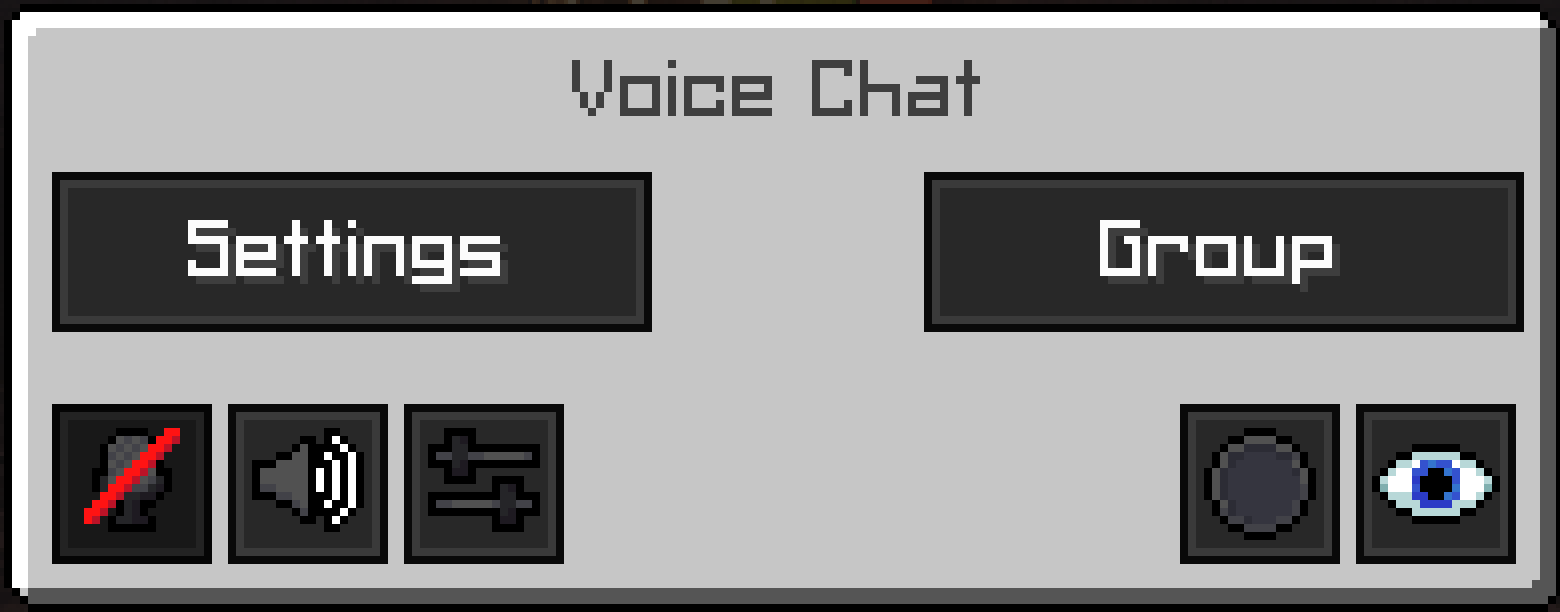
You're in control of who you hear. Any player can be turned down, or muted outright, from the voice chat settings. Voice chat is moderated, and it has its own section in the rules with its own punishments. Treat everything you say over voice as public chat, because anyone in range can hear it.
This is only the start. We have a few ideas for where voice goes once Season 3 releases, including ways to keep your faction's plans between you and your faction. Nothing's set in stone yet, so keep your ears open.
A brand new store
The store is now part of the website. There's no separate site to get sent off to. Every package is on one page, and clicking one opens it right there over the rest of the store.
Every purchase goes through Tebex. Tebex processes every payment, and checkout happens on their own secure page. Our site only shows you the packages and connects your purchase to your account on the server, so your payment details never pass through us.
If you bought something from us in Season 2, the store looks different now. Back then we sold ranks and cosmetics directly. Now there's a currency in the middle.
Two new ranks. Zion and Zealot are brand new, and they join Zyphian at the top. Each one comes with its own chat color, emblem, and quality-of-life perks, and each rank pays out Zyphs every week, on top of its own perks. The higher the rank, the more you get.
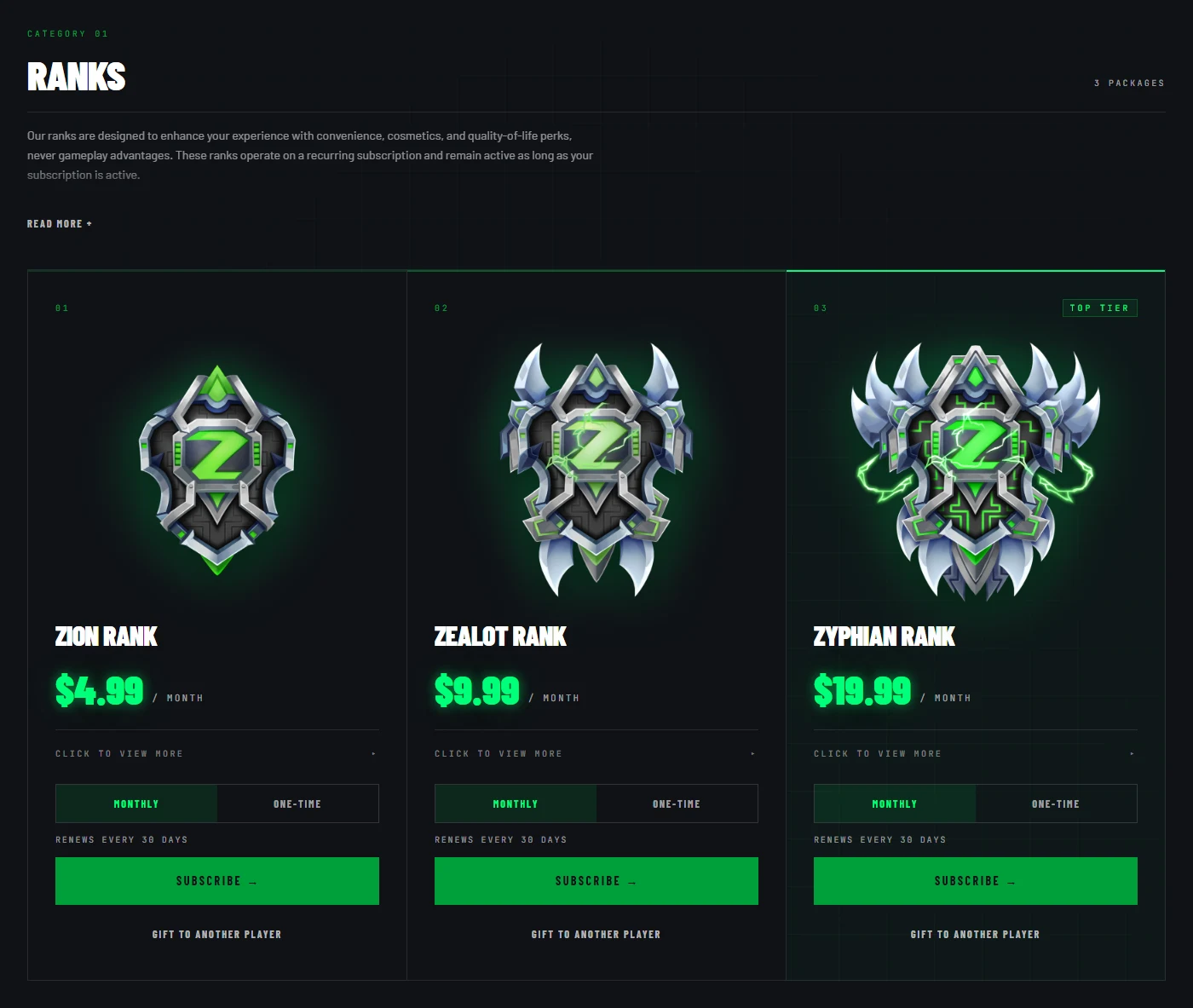
Monthly or one-time. Every rank can be bought either way, and both give you 30 days. Monthly renews on its own until you cancel it. One-time simply doesn't renew.
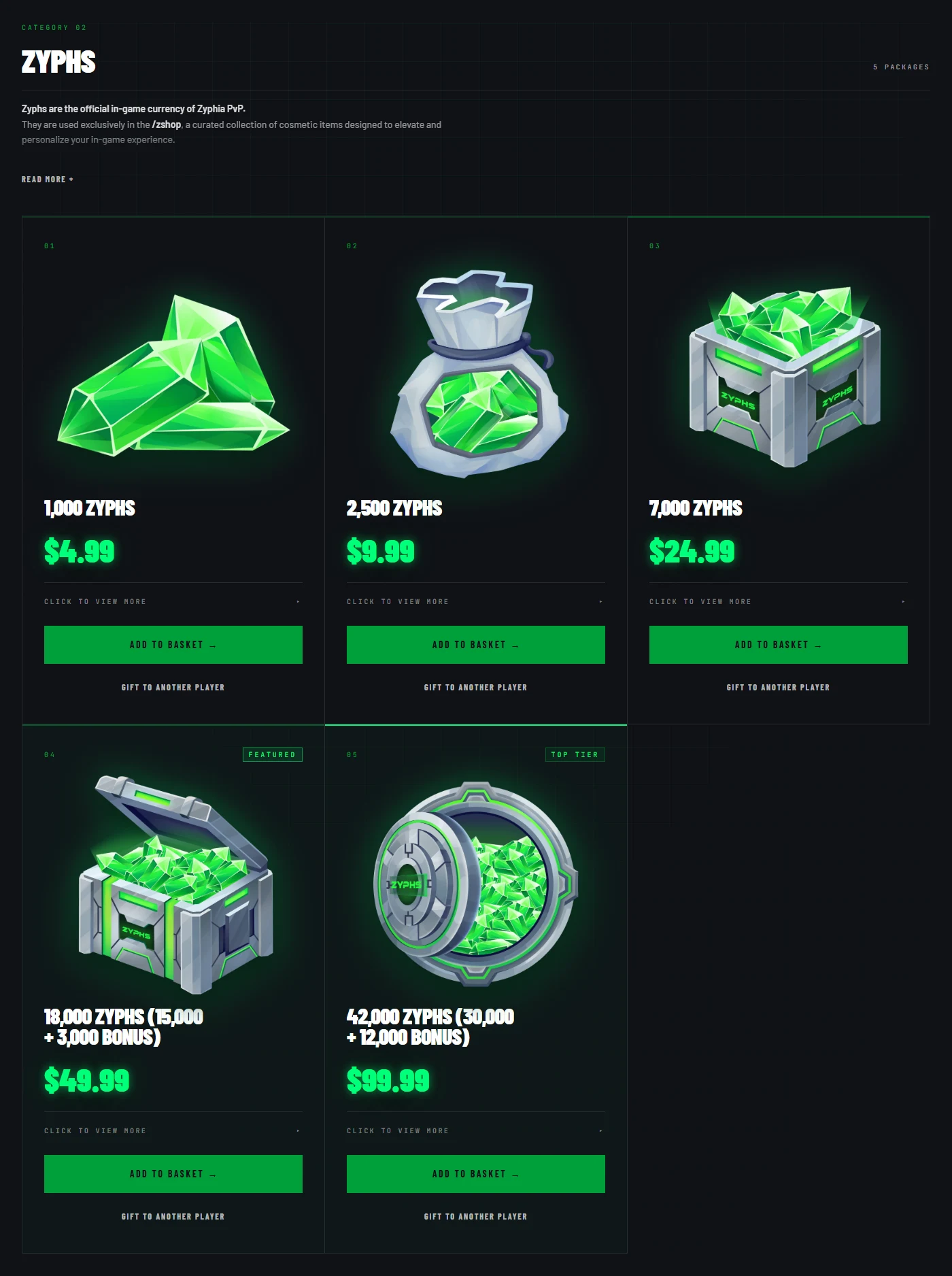
Meet Zyphs. Zyphs are Zyphia's new in-game currency, and you'll spend them in /zshop,
which opens when Season 3, The Revival, releases. Everything in it is cosmetic: particles, emblems,
and flair that make you stand out without making you any harder to kill. You can buy Zyphs
straight from the store, and the bigger packs come with bonus Zyphs on top.
Gift it to a friend. Any package can be sent to another player. Pick "Gift to another player" on the package, type in their username, and check out as normal. There's nothing for you to do afterwards. The gift waits for them in game until they unwrap it, and we'll let you know the moment they do.
Gifting ranks also counts toward a gifting ladder, and climbing it earns you rewards of your own. You'll be able to track your progress in game.
Nothing in the store wins you a fight. When we announced Season 3, we called out servers that sell power instead of cosmetics. We meant it. Everything you can buy from us is cosmetic or a convenience, and it stays that way.
Look yourself up
There's also a brand new Stats page. Search for any player on the network and you'll see their network level, career XP, playtime, when they first joined, and when they were last online. That's live right now, so go look yourself up. It's also built to work properly on your phone, so you can sort and search the boards on the go.
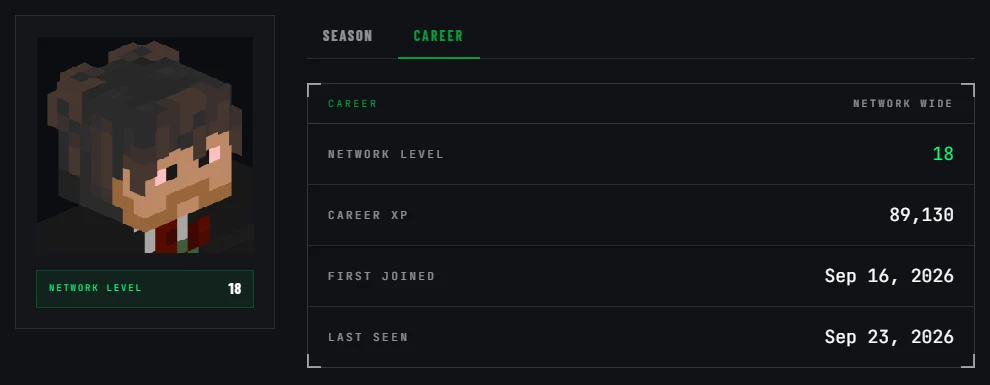
Your network career never resets. Your level, XP, and join date carry over from season to season, so they'll always be on your page.
More lights up when Season 3 releases. A player's faction, kills, and placements will show up the day it releases, all tracked season by season. So will two things we're especially proud of.
The faction standings. Every faction on the server, ranked by what it's worth. You can re-sort the board by Faction Core tier, member count, or how much land a faction has claimed, so you can see who's richest, who's biggest, and who holds the most ground.
A page for every faction. Click any faction to see its leader and when it was founded, where it sits in the standings, and its Faction Core tier. Its worth is broken down into what's in the bank and what it has invested. You'll also see who it's allied with, who its enemies and archenemies are, and what it has built across its base. The full roster is there too, with each member's role, playtime, and votes. If you're planning a raid, this is where you start.
The rules, written down
For the first time, the full ruleset lives on the website. Every rule is on the Rules page with its punishment right next to it, written in plain language, so there's no guessing what counts as a break or what happens if you make one. Give it a read before Season 3.
The rules can change at any time. It's on you to check back regularly and stay up to date whenever you're playing on the network.
Come be part of it
Hop on the hub, turn your voice on, and come say hi. We'll be posting everywhere else too. TikTok, YouTube, and X. Pick whichever one you actually check, and don't forget to join our Discord.
Season 3 is getting closer. See you there.